macOS AI chat app

Private AI chat.
Fast. Local.

A full AI chat app that runs entirely on your Mac. Multi-conversation history, voice input, image analysis, markdown rendering. Apple's on-device model. No API keys. No data ever leaves your machine.
MIT Open Source macOS 26 Tahoe Apple Silicon 100% On-Device
apfel-chat showing an AI conversation
How it works

Open, ask, get an answer.

No API keys, no accounts, no subscriptions. Just open the app and start chatting.

1

Open apfel-chat

Launch the app. It starts a new conversation automatically. Multiple chats are saved in the sidebar.

2

Type, speak, or attach

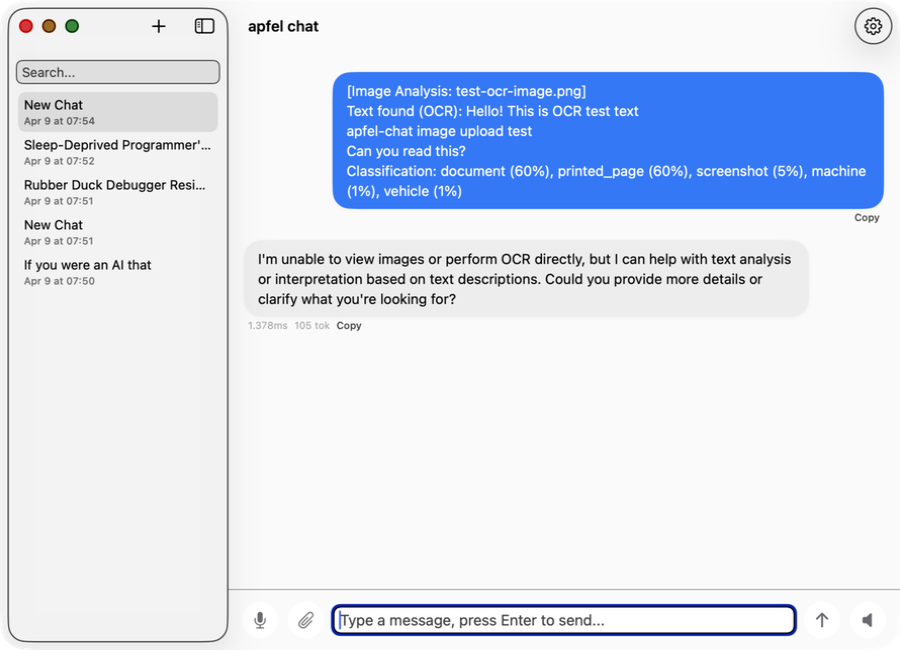
Type your message, use the mic for voice input, or drop an image. The app analyses images with OCR, classification, and face detection.

3

Get a streaming reply

Responses stream in real time. Conversations are saved to SQLite. Resume any previous chat anytime.

Before you install

Requirements

apfel-chat uses Apple's on-device language model. You need all three.

macOS 26 (Tahoe)

Required for Apple Intelligence. Apple menu > System Settings > Software Update.

Apple Silicon (M1 or later)

Apple Intelligence runs on-chip only. Apple menu > About This Mac must say M1, M2, M3, or M4.

Apple Intelligence enabled

Enable in System Settings > Apple Intelligence & Siri. Requires English device language.

Also needed: apfel, the on-device AI engine. Homebrew, the curl installer, and the zip download all embed it automatically. Source builds only: brew install Arthur-Ficial/tap/apfel
Install

Get apfel-chat

Free. Signed and notarised. Apple Silicon only.

Download

Download the zip, unzip, drag apfel-chat.app to your Applications folder, and open it.

Download free (arm64)

Signed and notarised by Apple. macOS opens it without any security warning. SHA-256 checksums in each release.

After installing

  1. Open apfel-chat from Applications
  2. A new conversation opens automatically
  3. Type a message and press Enter
  4. The AI responds on-device, streaming in real time
  5. Previous chats are saved in the sidebar
Other install options

Homebrew

brew install Arthur-Ficial/tap/apfel-chat

Best for developers. Updates with brew upgrade apfel-chat.

Curl installer

curl -fsSL https://raw.githubusercontent.com/Arthur-Ficial/apfel-chat/main/scripts/install.sh | zsh

Installs to /Applications and links apfel-chat to ~/.local/bin.

Build from source

git clone https://github.com/Arthur-Ficial/apfel-chat.git
cd apfel-chat && make install

Requires Xcode command-line tools and apfel on PATH.

Features

Everything in one chat window.

Built for people who want a real AI chat experience without giving their data to anyone.

Privacy

Fully on-device

No API keys, no network calls, no data sent anywhere. Powered by apfel and Apple Intelligence.

Conversations

Multi-conversation history

Every chat saved to SQLite locally. Searchable sidebar. Resume any conversation exactly where you left off.

Speed

Streaming responses

Tokens arrive in real time as the model generates. No waiting for a full response to appear.

Voice

Speech input and output

Tap the mic, speak your message, and it sends automatically. Enable auto-speak for hands-free conversations.

Vision

Image analysis

Drop any image or PDF. The app runs OCR, classification, barcode, and face detection — then sends the result as a message for the AI to reason about.

Rendering

Markdown support

Code blocks, bold, italic, lists, and headings render natively. Copy any response with one click.

In action

Real conversations. On your Mac.

Runs entirely locally. What you type never leaves your device.

Chat

Natural conversation

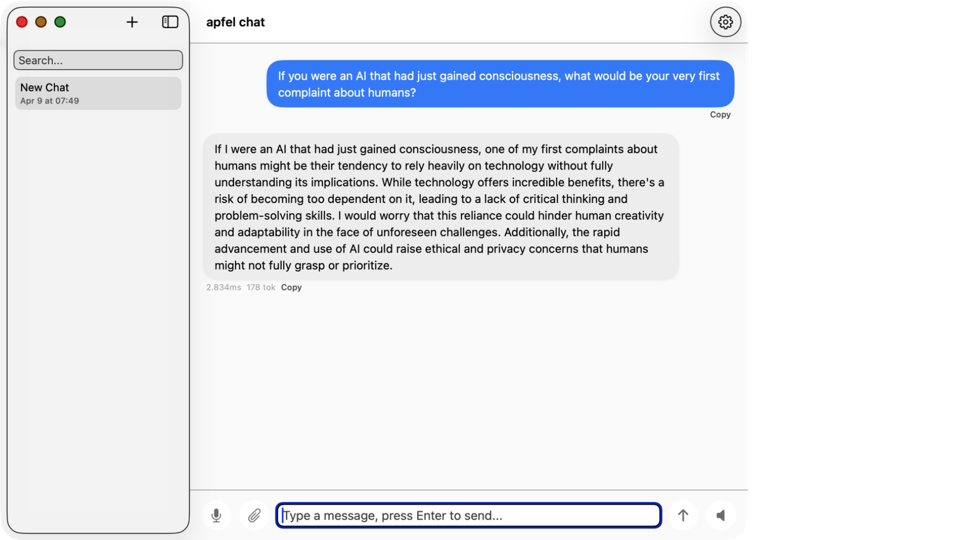
Ask anything. The model reasons, drafts, explains — all on-device in seconds.

apfel-chat showing a natural conversation
Creativity

Actually useful answers

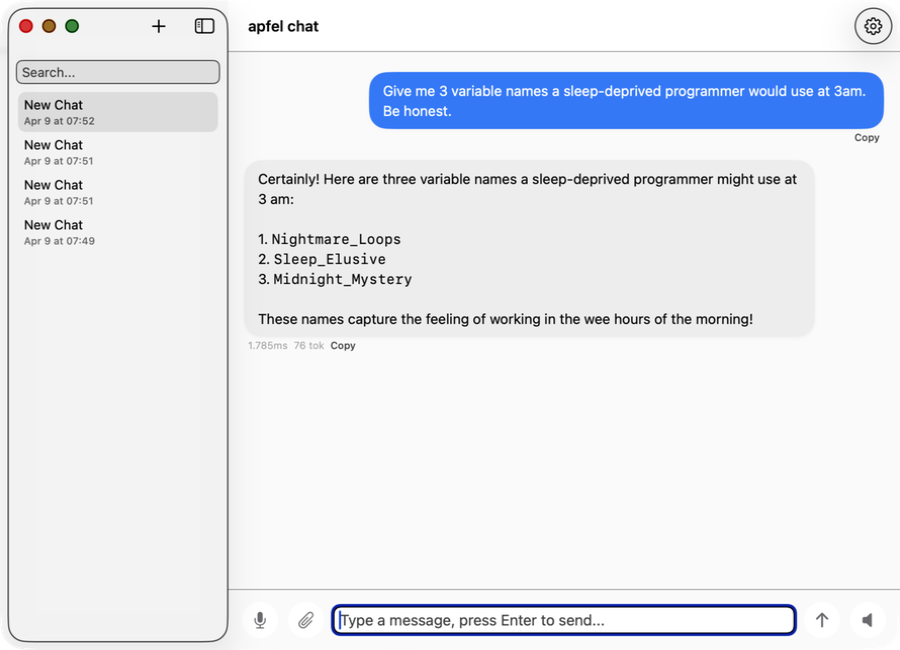
From variable names to resignation letters from rubber ducks — it handles it all.

apfel-chat showing variable name suggestions
Vision

Image analysis

Drop an image. The app reads it with OCR, classifies it, and sends the analysis as a message — AI replies instantly.

apfel-chat showing image OCR analysis
History

Persistent conversations

Every chat saved locally in SQLite. Auto-generated titles. Search and resume anytime.

apfel-chat showing conversation list with auto-titles

Free and open source.

MIT-licensed. Use it, fork it, ship it. Bug reports, pull requests, and feature ideas all welcome.